Las Vegas
Handyman Co.
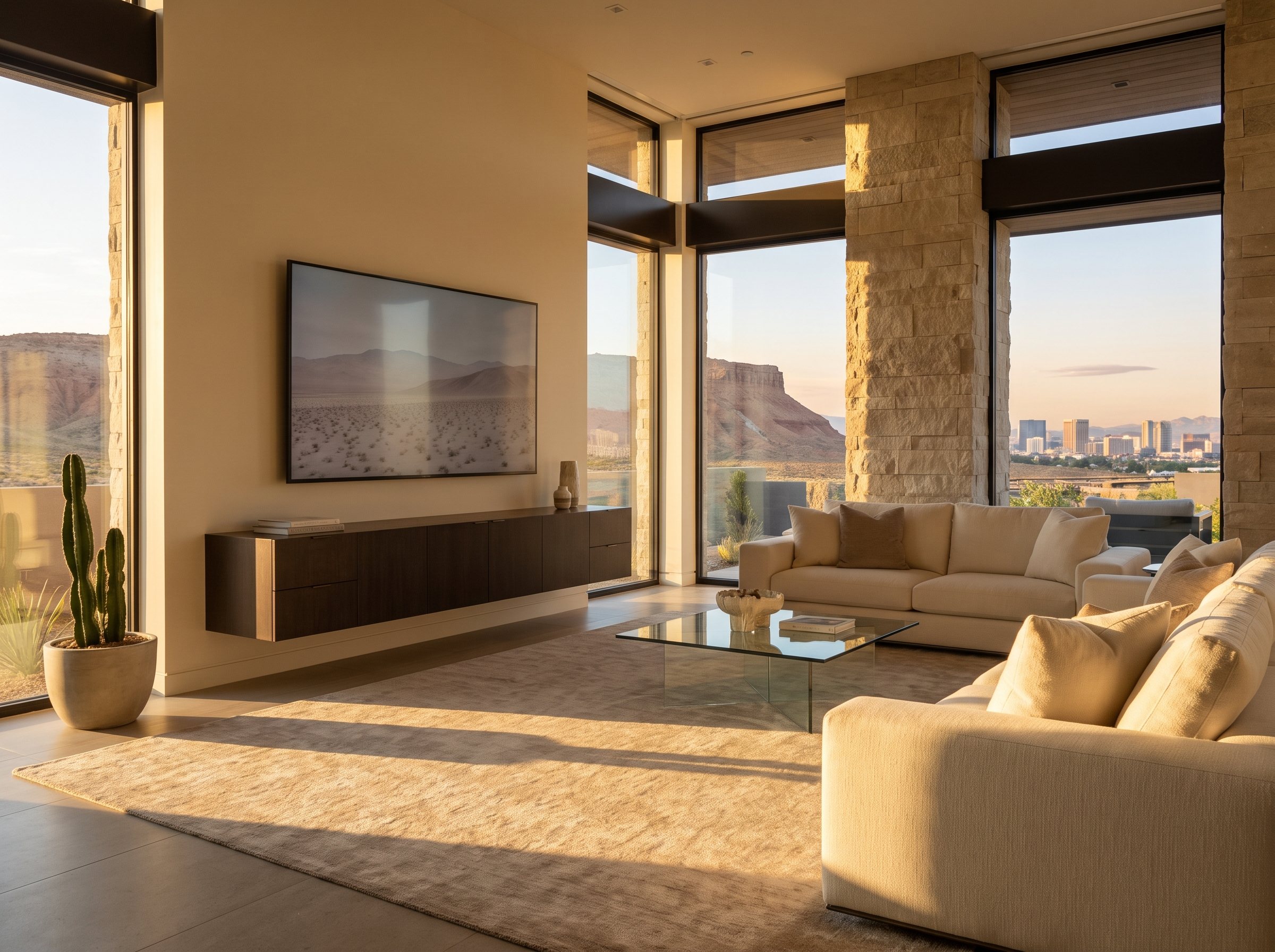
Flat-screen TV mounted at seated eye level above a floating console in a living room with desert and Las Vegas skyline views
All guides

How high to mount a TV, and which mount to choose

October 15, 2025 / 5 min read

How high should a TV be mounted?

For most living rooms, the right TV mounting height is simpler than it seems: put the center of the screen at about seated eye level. Many installer and home guides land on roughly 42 inches from the floor to the center of the screen, which matches the eye height of many adults on a standard sofa.

Treat 42 inches as a starting point, not a rule. Sit where you usually watch, have someone measure from the floor to your eyes, and use that number instead. A deep, low sectional puts eyes lower than a firm, upright sofa, and a room where people mostly recline changes things again.

To turn that into a mount position, look up the TV's height (not the diagonal) in its specs and mark the top and bottom edges on the wall with painter's tape. The mounting holes on the back of a TV are often not in the vertical center, so measure from them to the screen's center before marking the bracket. Living with the tape outline for a day catches most mistakes before any holes are drilled.

Screen size, seating distance and viewing angle

Height and size work together. Two widely cited references describe how much of your view the screen should fill. SMPTE, the Society of Motion Picture and Television Engineers, recommends a field of view of about 30 degrees, a comfortable target for everyday rooms. THX recommends about 40 degrees for a more immersive, theater-like picture.

In practical terms, from about 7 feet away, a 30-degree view works out to roughly a 55-inch screen and a 40-degree view to roughly a 70-inch screen. Put another way, the 40-degree target means sitting about 1.2 times the screen diagonal from the TV, and the 30-degree target about 1.5 times.

Size affects height in one way people miss: a bigger screen at the same center height puts its bottom edge lower, closer to a console or soundbar. If the room needs a large TV above furniture, check that clearance on the tape outline before settling on a height.

Fixed, tilt or full-motion: which mount fits the room?

A fixed mount holds the TV closest to the wall and has the fewest moving parts. It is the right choice when the screen can go at eye level, the seating faces it directly, and glare is not a problem. The trade-off is access: reaching the ports on the back usually means lifting the TV off the bracket.

A tilt mount angles the screen down a few degrees. That helps when the TV has to sit somewhat above eye level, and it can cut glare from windows or ceiling lights, which matters in west-facing rooms that take strong afternoon sun. Tilt does not fix a TV that is far too high; it only softens a moderate height.

A full-motion or articulating mount lets the screen pull out, swivel and tilt. It suits corners, open layouts where the TV needs to face a kitchen or a second seating area, and rooms where you want easy access to the ports. Because the arm puts the TV's weight out in front of the wall, it needs the strongest attachment of the three, and it should be bolted into studs or solid masonry.

Whatever the type, check two things before buying: the VESA patterns the mount supports (the spacing of the mounting holes on the back of a TV) and its weight rating. Match them against the VESA size and weight listed in the TV's specs.

Mounting a TV over a fireplace

Over a fireplace is where height and heat collide. The mantel pushes the screen up, and the center can easily end up far above seated eye level. A common rule of thumb in home theater guides is to keep the upward viewing angle to about 15 degrees or less; a screen high over a mantel can put viewers well past that, which is how people end up with sore necks after a movie.

Heat is the second question. Samsung's support guidance says its TVs should never exceed 40 degrees Celsius (104 degrees Fahrenheit) and suggests testing for heat rising from the fireplace before mounting above it. A simple check: run the fireplace for a while and hold a thermometer against the wall where the TV would go. If the wall gets hot, that spot is a poor choice whatever the mount, and your own TV's manual is the place to check its limits.

If the TV has to go over the fireplace, there are two good ways to handle height. A tilt mount angled down helps when the screen is only moderately high. A pull-down mantel mount goes further: the TV sits above the mantel when not in use and lowers to near eye level for viewing. Pull-down mounts are heavier and need solid attachment, so the wall above the firebox has to be checked first, whether it is wood framing or masonry.

What is behind the wall, and how the cables get hidden

A TV mount should be anchored into framing or solid masonry, not just drywall. Samsung's mounting guidance puts it plainly: the wall mount should be attached to a stud. General-purpose drywall anchors are not a substitute for framing. If the studs do not line up with where the screen should go, a mount with a wider wall plate or a sliding bracket usually solves it.

On brick or stone, the anchors go into solid masonry rather than mortar joints. Thin stone veneer over a framed wall is a different case, since the veneer itself may not hold the load.

For hidden cables, code matters. The National Electrical Code does not allow a regular power cord to be run inside a wall, so the TV's cord cannot simply be fished through the drywall. The code-compliant options are a recessed power kit, which uses in-wall rated cable between an outlet behind the TV and an inlet near the floor, or a new outlet added behind the screen.

HDMI and other low-voltage cables run inside a wall should be in-wall rated; look for a CL2 or CL3 marking on the jacket. Where in-wall routing is impractical, such as on an exterior wall or across masonry, a paintable cord cover along the wall is a tidy fallback.

Bedrooms, corners, DIY and a final check

In a bedroom, set the height from the bed rather than the floor. Sit up against the headboard the way you usually watch, measure to eye level, and center the screen there, or slightly higher with a tilt mount if you mostly watch lying back.

A small TV on a fixed or tilt mount over wood studs that are easy to find is a fair DIY job for someone comfortable with a drill, a level and a stud finder. Large screens, full-motion arms, masonry, over-fireplace installs and anything involving in-wall power are where a pro is usually worth it, since mistakes there mean a damaged TV, a damaged wall or a code problem.

Before anything is drilled, run through a quick check: center height measured from your actual seat, tape outline on the wall, VESA pattern and weight confirmed, studs or masonry located, and a plan for power and cables.

If you would rather hand it off, send a photo of the wall and the TV model through our TV mounting page. We will send back a free, written flat quote, so the price is settled before anyone drills a hole, and we clean up when the job is done.

Quick answers.

Is a tilt mount enough for a TV over a fireplace?

It depends on how high the screen ends up. A tilt mount angled down reduces glare and makes a moderately high TV easier to watch, but it does not lower the screen. If the center of the screen sits far above seated eye level, a pull-down mantel mount or a different wall is the better fix. Check heat above the firebox either way.

How far from the TV should the couch be?

Using the common THX guideline of about a 40-degree field of view, sit roughly 1.2 times the screen diagonal away: about 6 feet for a 60-inch TV. For a more relaxed view closer to the SMPTE 30-degree guideline, sit farther back, around 1.5 times the diagonal. Most rooms land somewhere between, set by furniture and walkways.

Can a TV be mounted where there is no stud?

Usually the mount can still reach studs. Many wall plates are wide enough to catch two studs even when the screen is off to one side, and some brackets let the TV slide sideways after mounting. Where framing truly is not available, anchors rated for the specific load and wall type are needed, and heavy screens or full-motion arms are best moved to a wall with framing.

More guides

Tell us
what's broken.